
Every step of a licensed product, in one system
From the first sketch to the royalty statement: what LiceNTraK does at each stage, and the impact on your business.
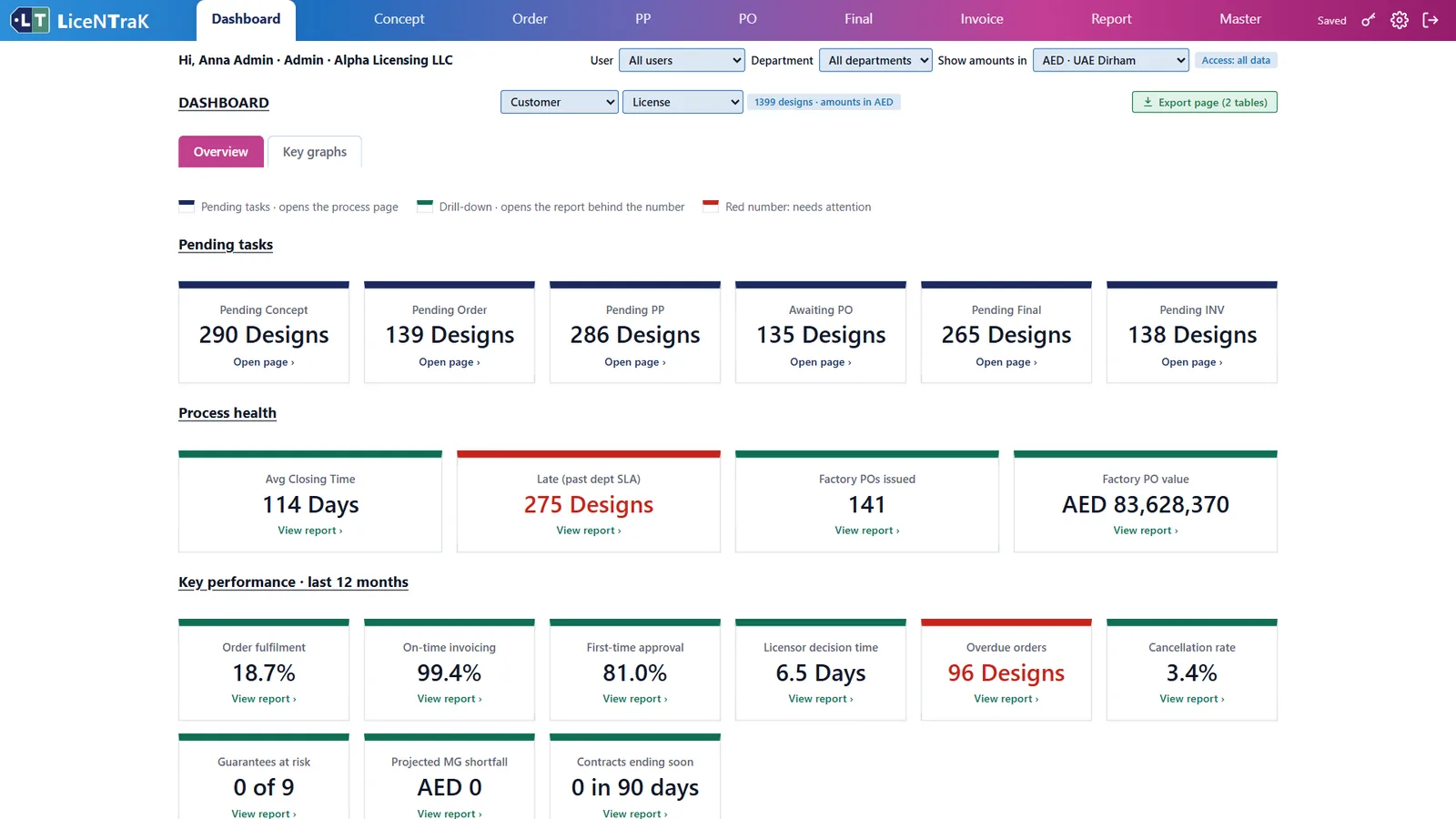
Tasks you can act on, numbers you can open
Pending work at every stage and the health of the process. Navy tiles open the page where the work is done; teal tiles open the report behind the number.
- Pending concept, order, PP, PO, final and invoicing
- Late approvals, overdue orders and guarantees at risk in red
- Filters by user, department, customer and licence carried into every report
- Amounts in any currency at each order's locked rate
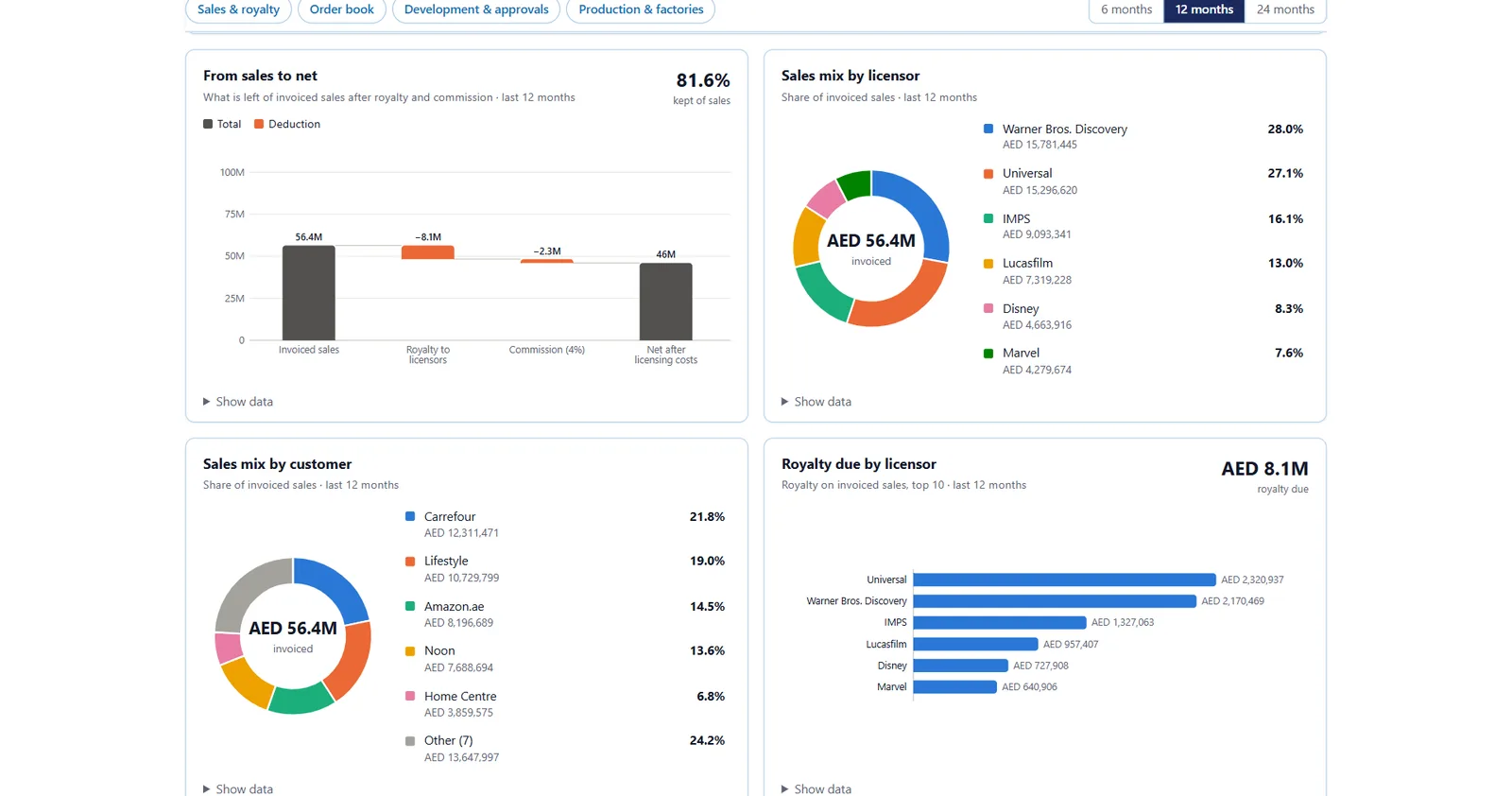
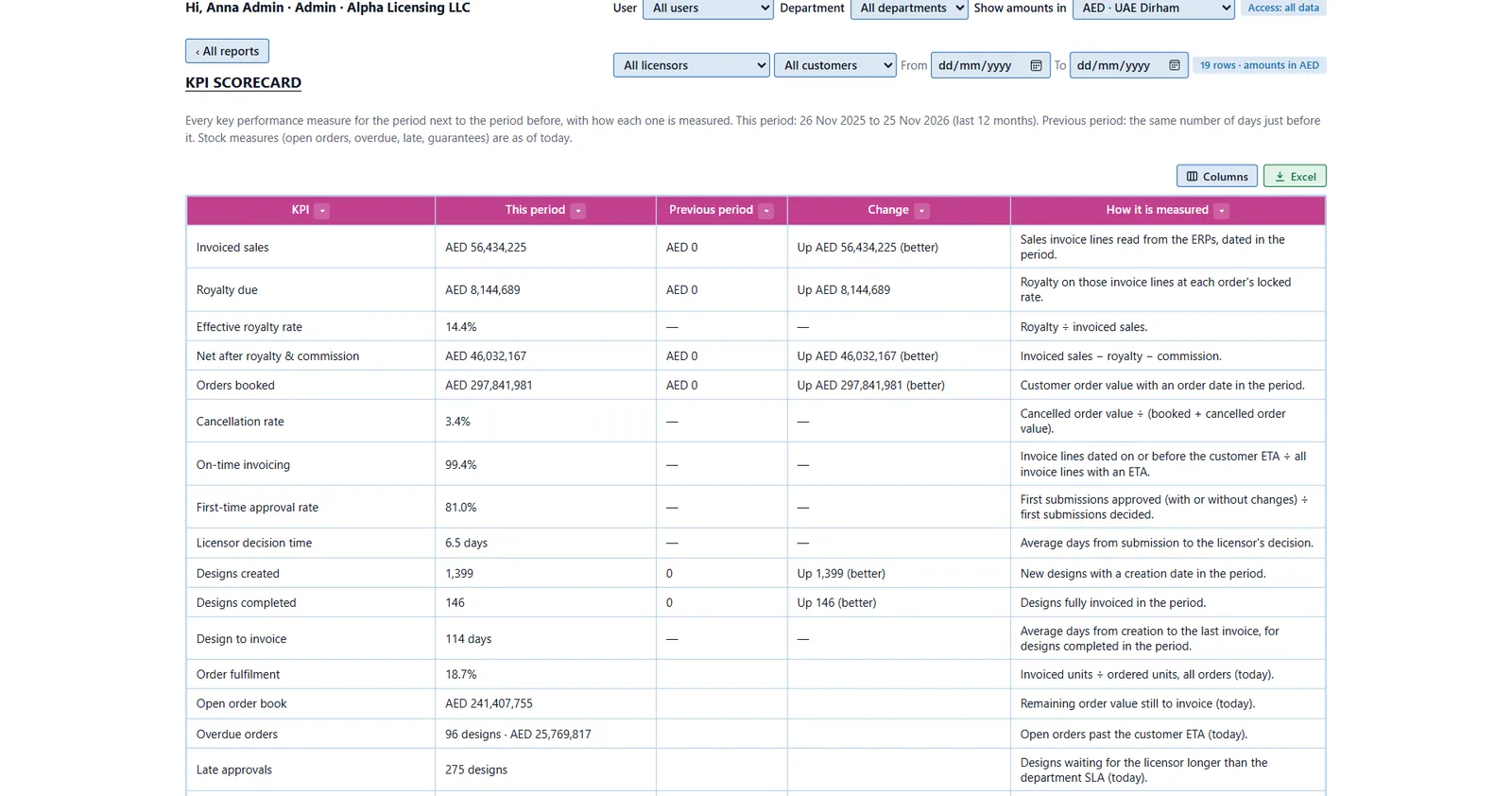
12 KPIs and 21 graphs
Choose 6, 12 or 24 months. Each KPI is compared with the period before, and every graph has its numbers one click away.
- Invoiced sales, royalty due and net after royalty and commission
- Sales mix by licensor and customer; sales-to-net waterfall
- Order book, delivery ageing and cancellations by reason
- Development funnel, licensor decision time, first-time approval rate
- Factory PO value, deliveries due and factory compliance
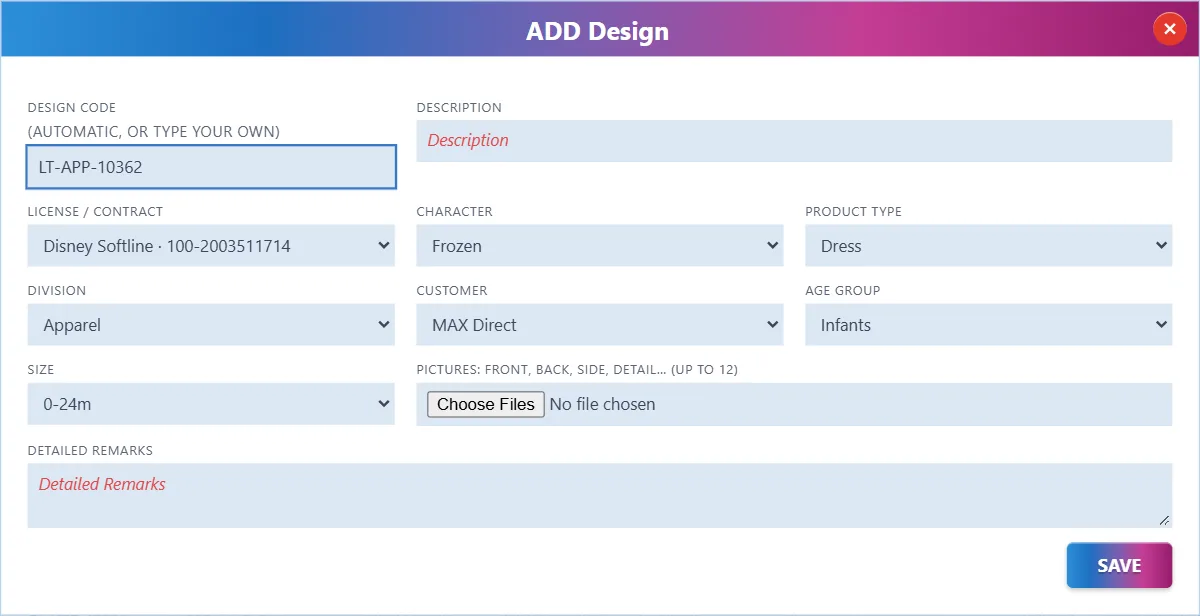
Add a design in seconds, follow it everywhere
Pick the licence and character, and LiceNTraK offers only what that contract allows. Add up to 12 pictures and see every step on one design card.
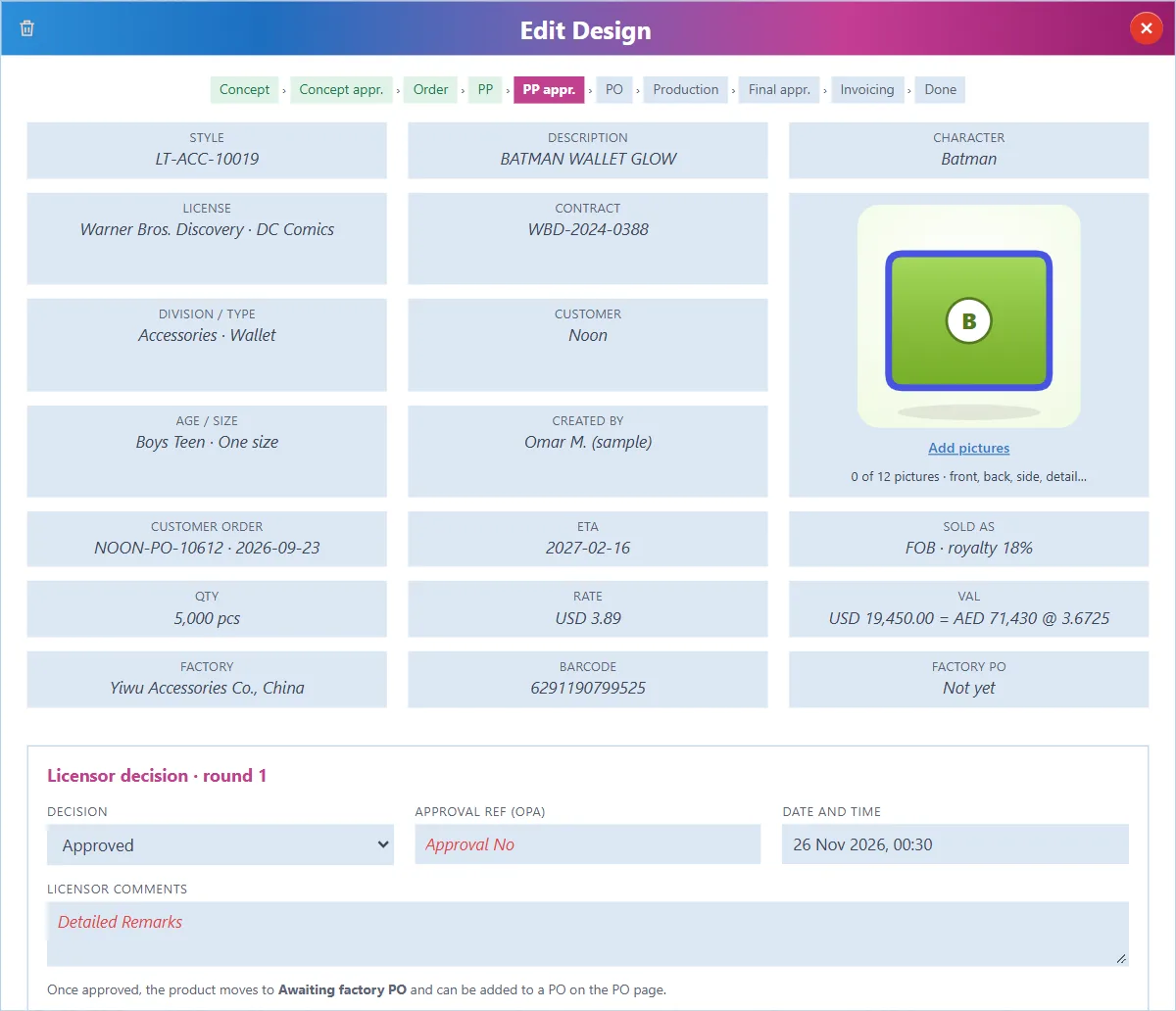
- Ten clear stages with a stage bar on every design
- Full activity log of who did what, and when
- Cancellations need a reason; designs can be restored
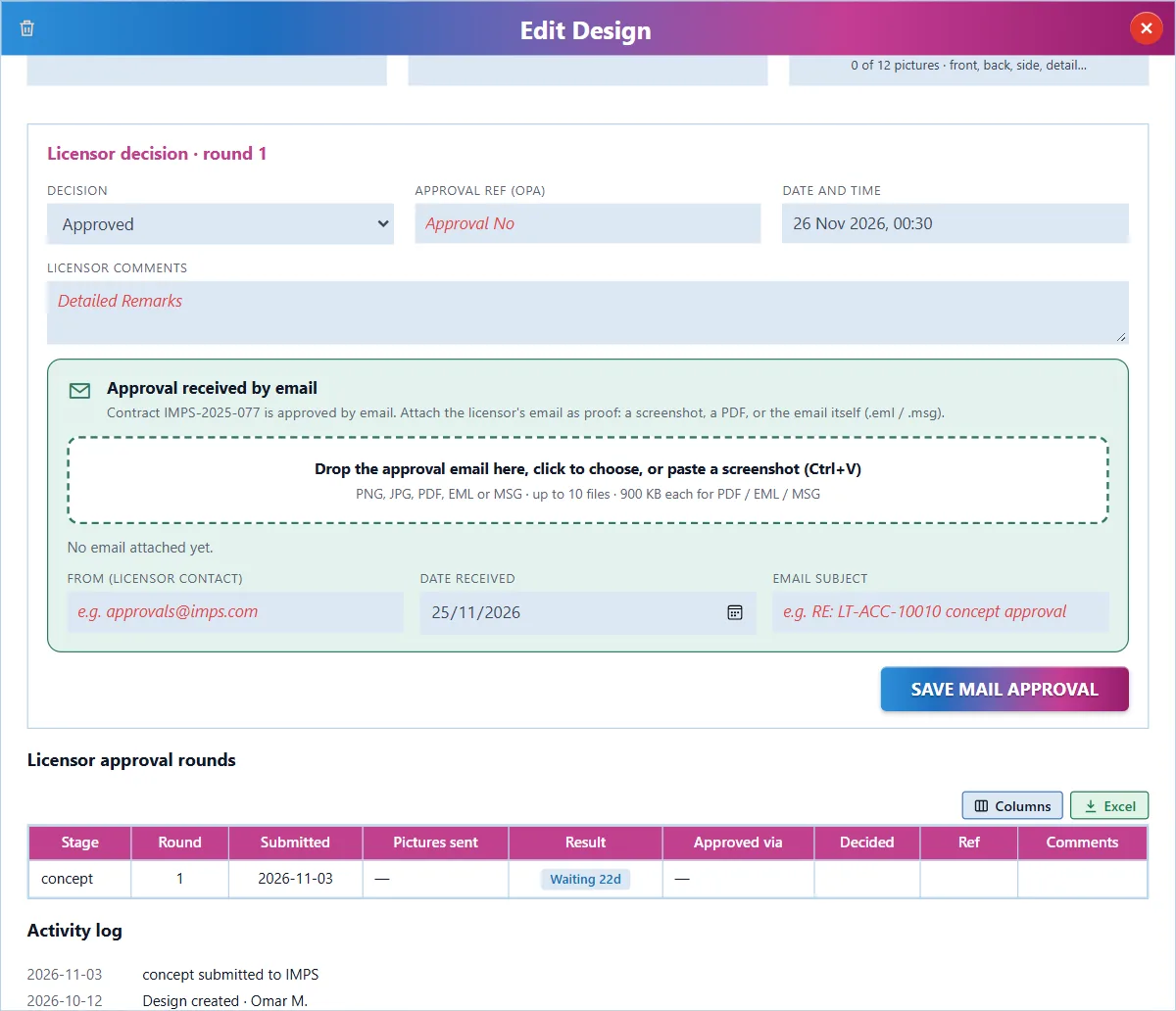
Portal or e-mail, every round on record
Record each decision with its reference, comments and the exact pictures sent. For e-mail approvals, attach the e-mail itself (.eml, .msg), a PDF or a screenshot.
- Concept, PP sample and final sample approvals
- Every round kept: approved, changes required or rejected
- Department SLA with late alerts
- E-mail approvals register flags missing proof
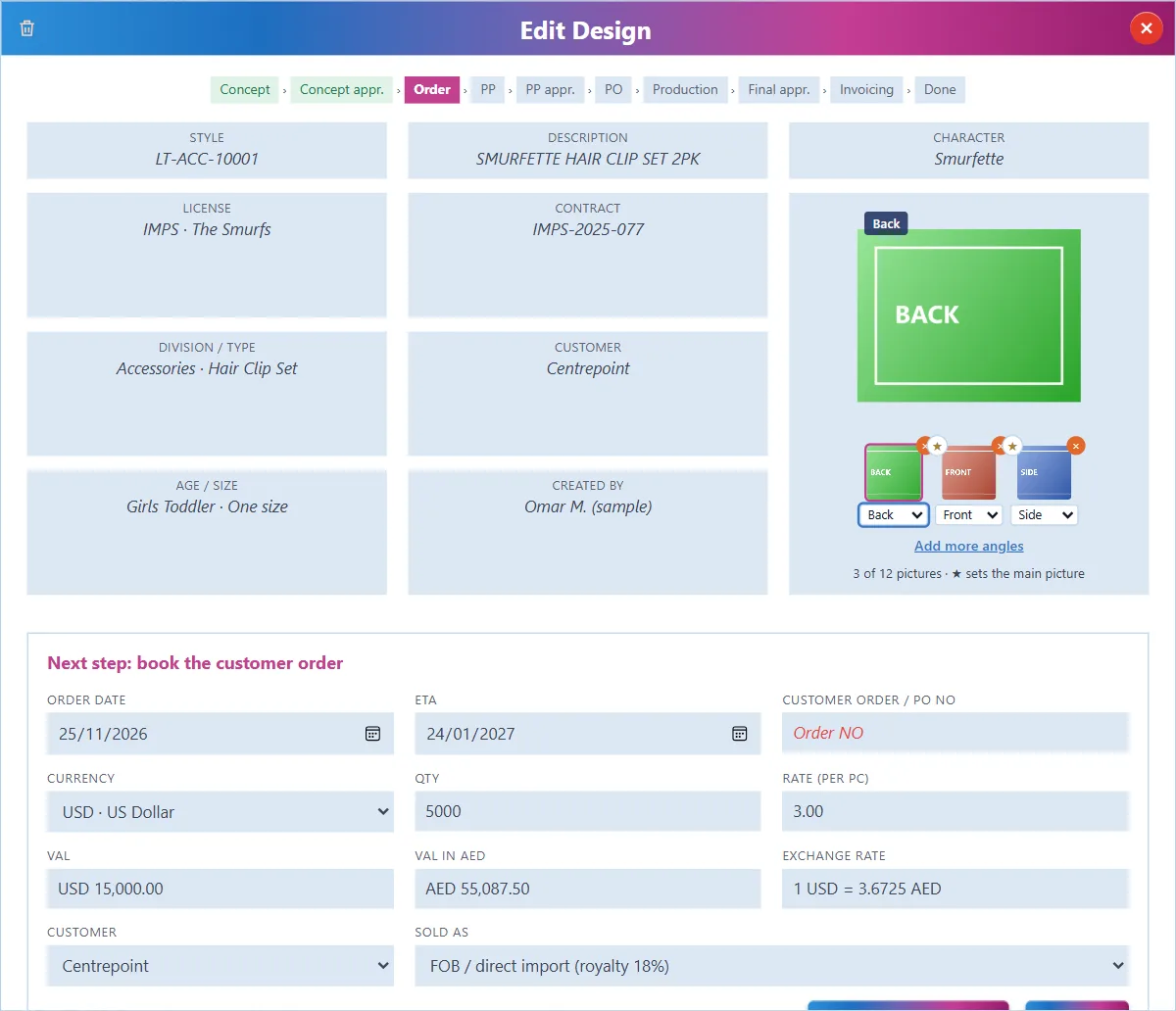
The right royalty on every order
Book the order in any currency. The exchange rate is locked on the day and the channel, FOB or wholesale, picks the contract royalty rate.
- Order number, ETA, quantity and price per design
- Royalty and commission exposure on open orders
- Open order ageing by customer
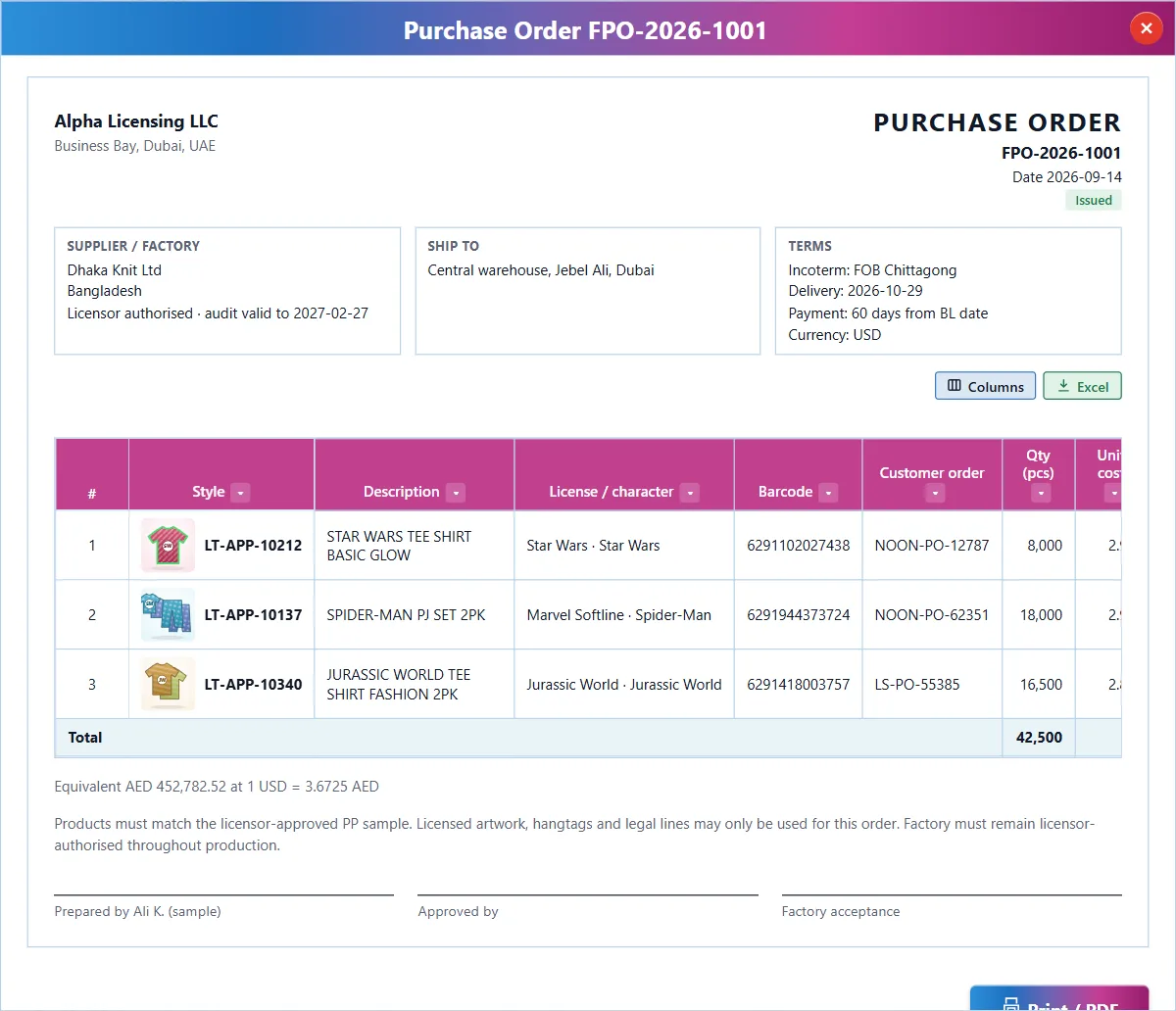
Only approved products, only authorised factories
Products reach a factory PO only after the licensor approves the PP sample. Factories without authorisation or with an expired audit are blocked.
- One PO for many products, with your logo, as PDF
- Factory compliance and audit expiry tracking
- Delivery schedule with late deliveries first
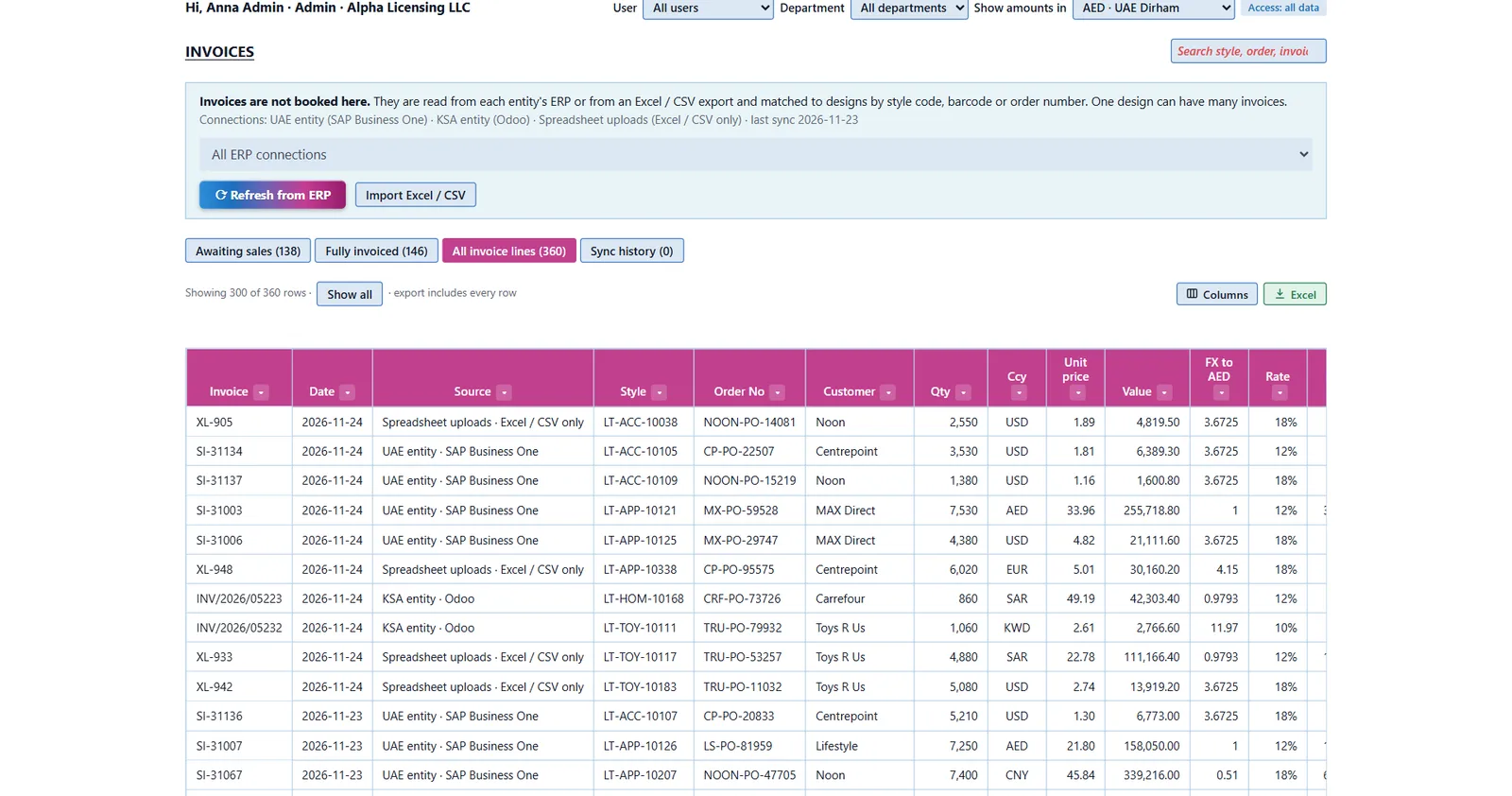
Read from the ERP, calculated line by line
Invoices are read from each entity's ERP or Excel / CSV and matched by style, barcode or order. Royalty and commission are calculated on every line.
- SAP Business One and Odoo, or any system by file
- Several entities and currencies in one view
- Licensor statement with approval references
Every guarantee tracked, projected and explained
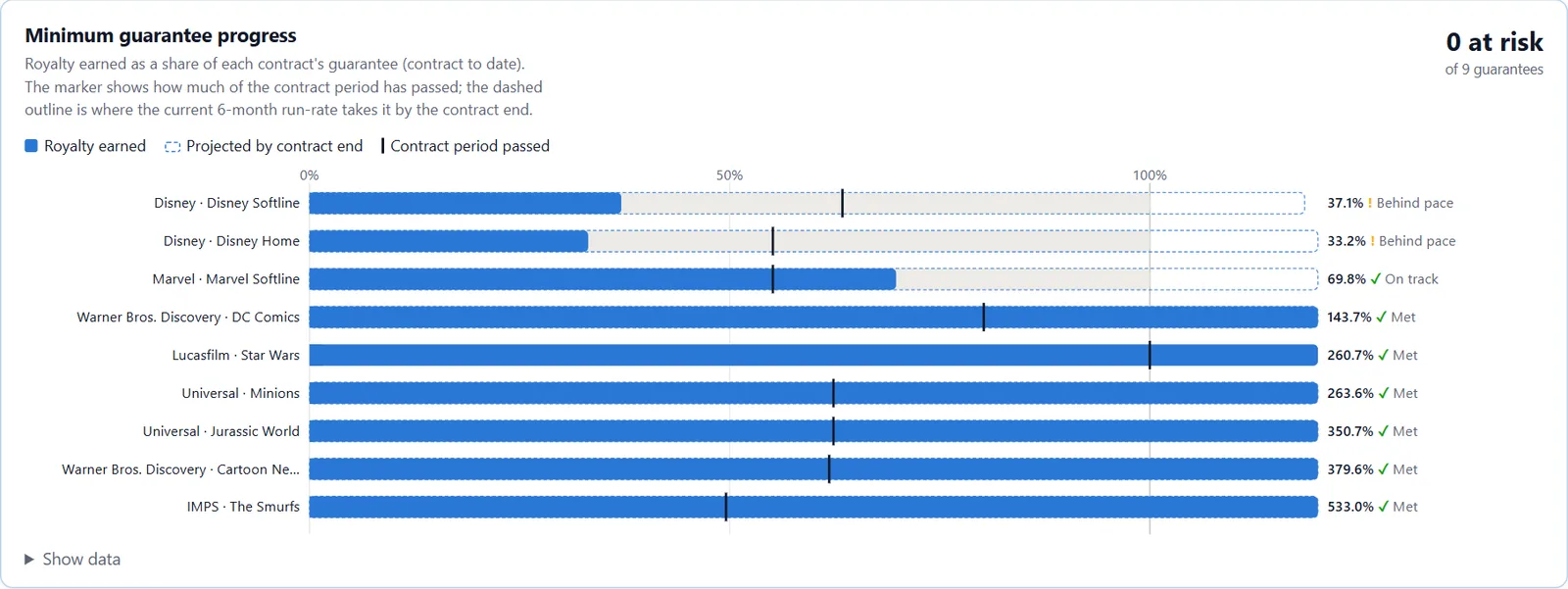
LiceNTraK reads the guarantee and advance from each contract and follows them live: earned to date, pace against the contract period, a projection to the end date from the last six months' run-rate, and the royalty needed each month to close any gap.
- Minimum guarantee tracker: pace, run-rate, projection, shortfall and royalty needed per month
- Guarantee by contract year: pro-rata yearly targets with running totals
- Exposure by licensor: guarantees, advances and projected top-ups for cash planning
- Dashboard alert for guarantees at risk and the projected shortfall amount
- Advance recoupment for every contract
A new licence set up in minutes
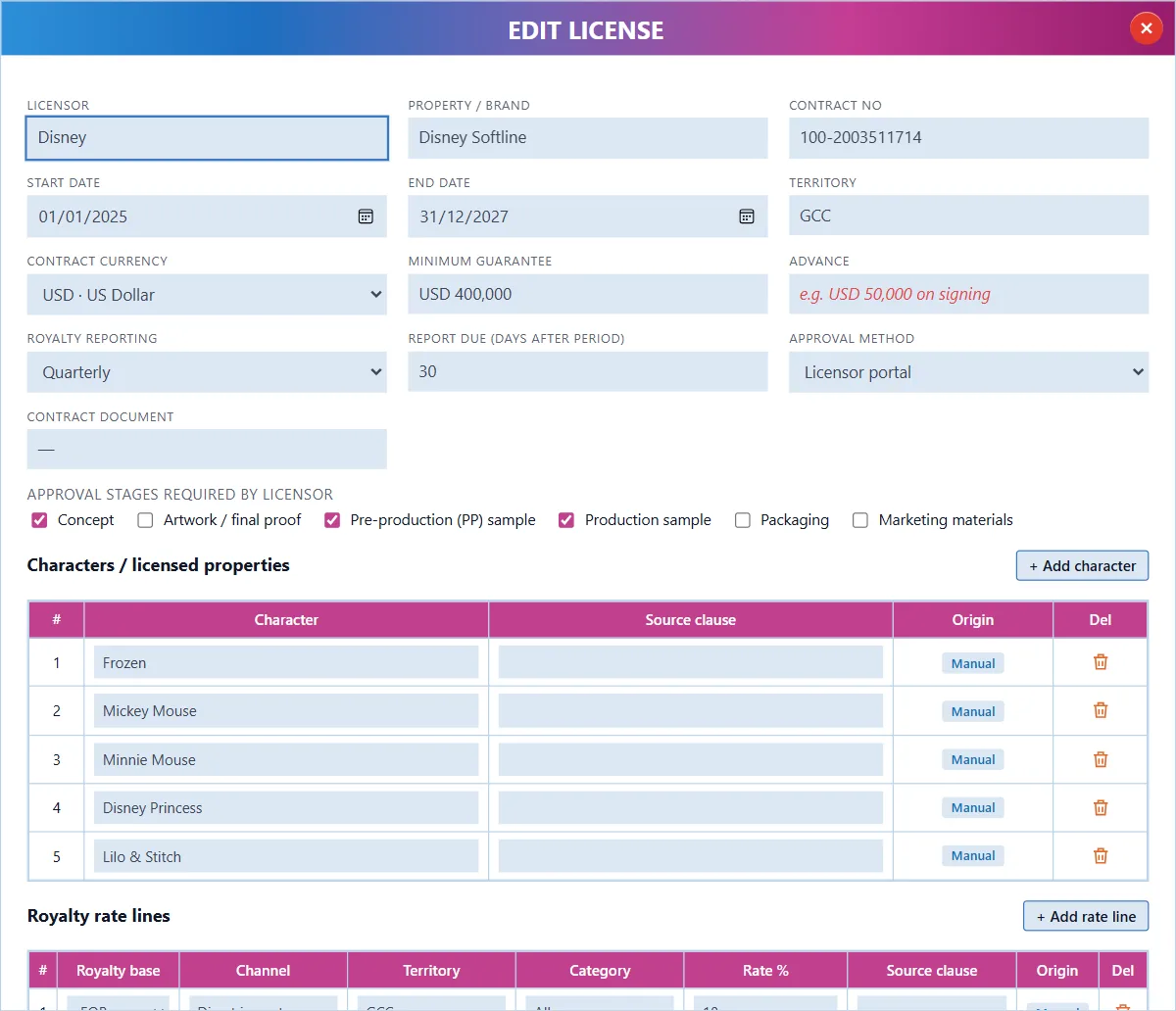
Upload a PDF or Word agreement. AI fills in the licensor, property, territory, dates, currency, minimum guarantee, approval stages and every character and royalty rate, each with the clause it came from.
- Every field reviewed before saving
- Rates traceable to the source clause
Tables that work like Excel
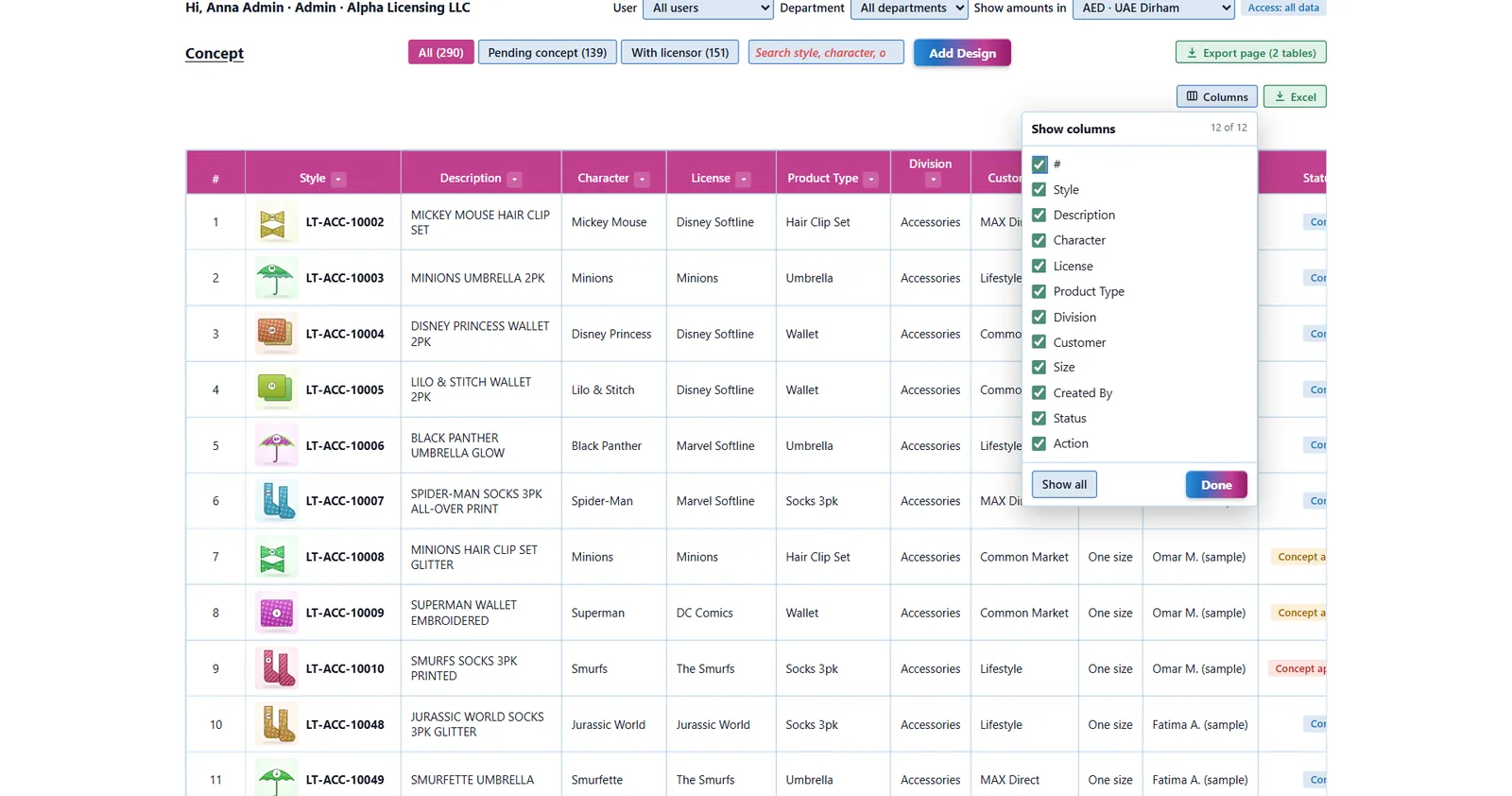
Sort and filter any column, choose which columns to show, and export to Excel with product pictures.
Click through the product
Pick a screen, then click the numbered points to see what each part does.
27 ready-made reports
Every report follows your filters, has sortable columns and exports to Excel.
Performance (KPIs)
- KPI scorecard
- Monthly performance trend
- Development funnel
Royalty & licensing
- Royalty due by licensor
- Licensor royalty statement
- Minimum guarantee tracker
- Contract expiry & sell-off
- Royalty rate check
- Royalty on open orders
- Minimum guarantee by contract year
- Minimum guarantee exposure by licensor
Sales & orders
- Invoice register
- Sales by customer
- Open customer orders
- Open order ageing
- Cancelled orders
- Cancellations by reason
- Sales by property & product type
Production & factories
- Factory PO register
- Factory delivery schedule
- Factory compliance & volume
- Awaiting factory PO
Development & approvals
- Pipeline by department
- Late approvals
- E-mail approvals register
- Approval turnaround by licensor
- Team productivity
Users, roles and access
Six roles decide which pages each person sees; data scope can be their own work, their department or everything.
Roles
Admin, Manager, Merchandiser, Designer, Finance and Viewer.
Departments
Your own departments, each with its own approval SLA.
Company settings
Logo, currencies and rates, ERP connections and a theme per user.
See it with your own contract and orders
A 30-minute live demonstration of the full flow.